The KODAK Mini Shot 3 Retro combines a camera and a portable photo printer, making it easy to turn a spontaneous shot—or a compatible smartphone photo—into a square print.
This kodak mini photo printer review looks at how its hybrid design, 4PASS printing, and included paper suit everyday creative use.
Mini Shot 3 Review Summary
The quick verdict
6,000+ ratings
Read Amazon ReviewsKODAK Mini Shot 3 Retro
A good fit for scrapbookers, families, and casual photographers who want square prints from a camera or compatible smartphone.
- Two-in-one design combines a digital camera with a portable photo printer.
- Prints square 3-by-3-inch photos from the camera or from a compatible iOS or Android smartphone.
- Uses 4PASS dye-sublimation printing, building an image in three color layers and finishing it with a clear protective lamination layer.
- The printing process takes approximately 55 seconds per photo; the prints are designed to resist fingerprints, water, and fading.

Pros
- Combines capture and printing in one device, with smartphone printing as another route.
- Large square prints offer a different keepsake format from small pocket-size instant prints.
Consider before buying
- A print takes approximately 55 seconds, so the process is not immediate and a series of prints will take time.
- The 3-by-3-inch square format is less compact than smaller print formats; consider the size if you want pocket-sized keepsakes.
Read the full review summary
The Mini Shot 3 Retro is designed for people who want physical photos without carrying a separate camera and printer.
It captures pictures on the device, and Bluetooth connectivity lets compatible iOS and Android phones send images through the KODAK Photo Printer app, where users can edit and crop before printing.
Its 3-by-3-inch square format lends itself to scrapbooks, albums, displays, and photo booth moments.
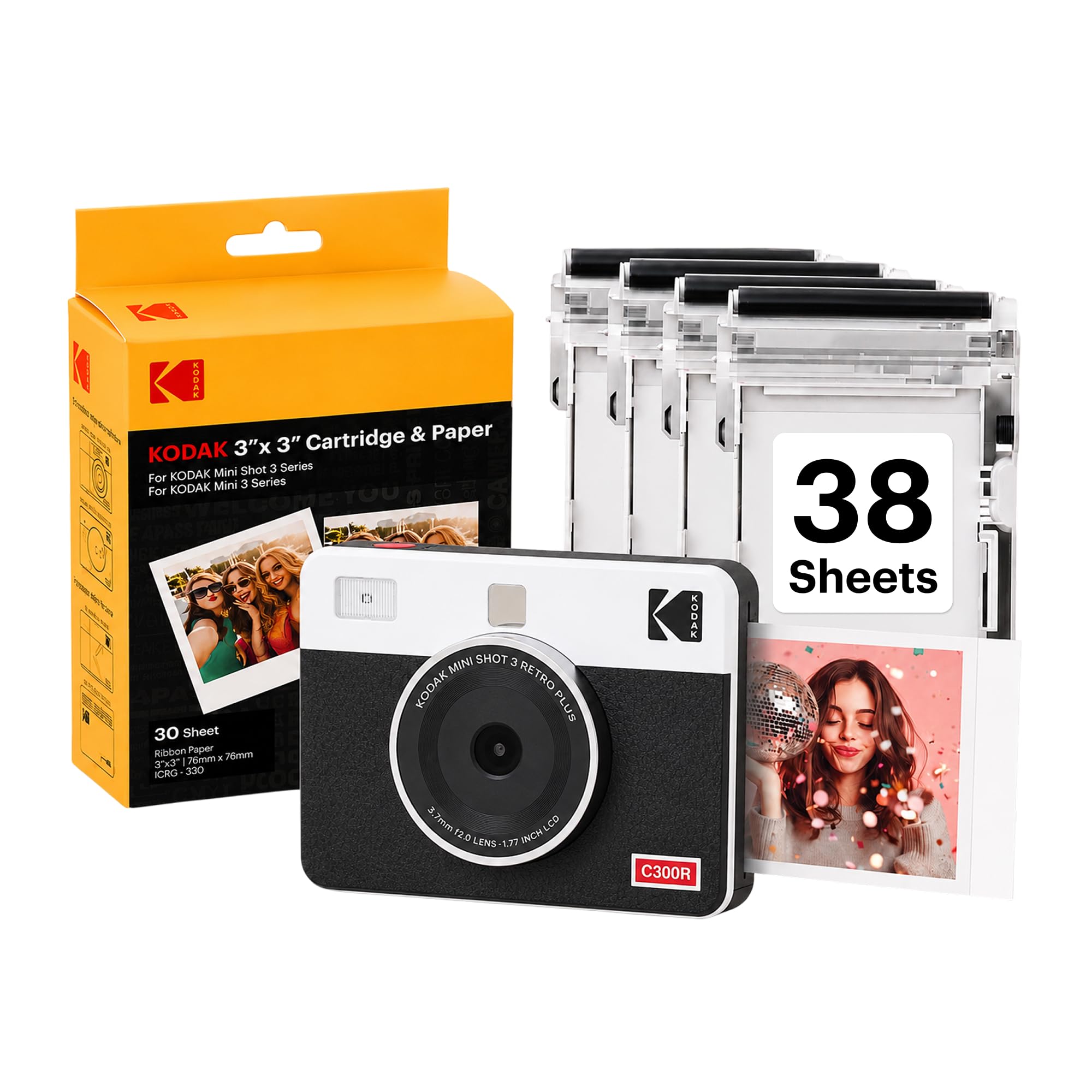
The included bundle has four cartridges and 38 sheets, along with a USB-C cable and strap, so there is printing material to start with; buyers should still consider the cost and availability of compatible refills for regular use.
The buying factors
Mini Shot 3 Scorecard
Editorial scores reflect listed features and buyer fit; they are not laboratory measurements or customer ratings.
Camera and printer versatility
Captures and prints from one device, while also accepting smartphone photos over Bluetooth.
Print presentation
4PASS dye-sublimation printing uses three color layers and a clear lamination layer, with a square format suited to keepsakes.
Creative flexibility
The companion app supports editing, cropping, and customization before printing from a phone.
Portability
The camera-printer is described as compact and small enough for a bag or pocket, though buyers should account for cartridges and paper when packing.
Out-of-box supplies
Four cartridges and 38 sheets are included, along with a cable and strap.
Ease for casual use
Straightforward controls and minimal setup support spontaneous printing and beginner use.
Key Features and Specifications of Mini Shot 3
- Two-in-one design combines a digital camera with a portable photo printer.
- Prints square 3-by-3-inch photos from the camera or from a compatible iOS or Android smartphone.
- Uses 4PASS dye-sublimation printing, building an image in three color layers and finishing it with a clear protective lamination layer.
- The printing process takes approximately 55 seconds per photo; the prints are designed to resist fingerprints, water, and fading.
- Bluetooth connection to the KODAK Photo Printer app enables phone-based photo editing, cropping, and customization.
- The package includes the camera, four cartridges, 38 sheets of photo paper, a USB-C cable, a strap, and a user guide.
Pros and Cons of Mini Shot 3
Pros
- Combines capture and printing in one device, with smartphone printing as another route.
- Large square prints offer a different keepsake format from small pocket-size instant prints.
- App editing lets users crop and adjust phone photos before committing paper and cartridge supplies.
- Starter paper and four cartridges are included, so buyers can begin printing without sourcing supplies first.
Consider before buying
- A print takes approximately 55 seconds, so the process is not immediate and a series of prints will take time.
- The 3-by-3-inch square format is less compact than smaller print formats; consider the size if you want pocket-sized keepsakes.
- Ongoing use depends on replenishing compatible cartridges and paper, so check refill availability and cost before planning frequent printing.
Who Should Buy Mini Shot 3?
Good fit
Consider the Mini Shot 3 Retro if you want a camera-printer for trips, parties, family moments, or creative projects where sharing tangible photos matters.
It is particularly appealing if you like the idea of choosing between taking a picture on the device and printing an image already saved on a phone.
The square output makes sense for scrapbook pages, albums, and small displays, while the app provides a chance to crop a phone image before printing.
The included supply pack gives new owners some material to explore the format and learn how often they are likely to print.
For a good fit, think about your typical photo volume and where the prints will go. The per-print process takes roughly 55 seconds, and frequent printing means planning for replacement paper and cartridges.
Who should skip it
Skip this design if your main priority is small prints that fit easily into a wallet or a compact album; its 3-by-3-inch output takes more space.
It may also be a poor match if you need to print large batches quickly. Allow for the stated print time and check the supply costs that fit your intended volume.
KODAK Mini Shot 3 Retro Review: How the Hybrid Design Fits
A camera and printer for spontaneous keepsakes
The hybrid setup reduces the steps between taking a picture and handing someone a physical copy.
It suits casual moments—parties, trips, and school projects—where the print itself is part of the activity, while the phone-printing option helps when the preferred image was captured earlier.
Square prints shape how you use the camera
A 3-by-3-inch image gives more room than a tiny pocket print and has a natural fit for scrapbook layouts, albums, and wall displays.
That size can also mean carrying and storing prints takes more room, so it is worth matching the format to the albums or spaces you actually use.
Layered printing and app edits
The 4PASS process builds color in three layers and adds clear lamination. This design is intended to help prints resist fingerprints, water, and fading, while phone editing and cropping can help frame an image before using supplies.
The approximately 55-second print cycle is a practical consideration when several people are waiting for copies.
Plan for the consumables
Four cartridges and 38 sheets make the package ready for initial use, but repeat printing will require additional compatible supplies.
Buyers who expect to print often should check refill availability and cost and decide whether the square format justifies the ongoing expense for their projects.
Alternatives to Mini Shot 3
Sticker-print alternative
500+ ratings
Read Amazon ReviewsKodak Smile Instant Print Digital Camera
Choose the Mini Shot 3 Retro if the larger square format and layered dye-sublimation process suit your keepsakes.
The Smile is a better fit if you prefer smaller sticky-backed prints and want a compact camera with an integrated editor and stated print capacity per charge.
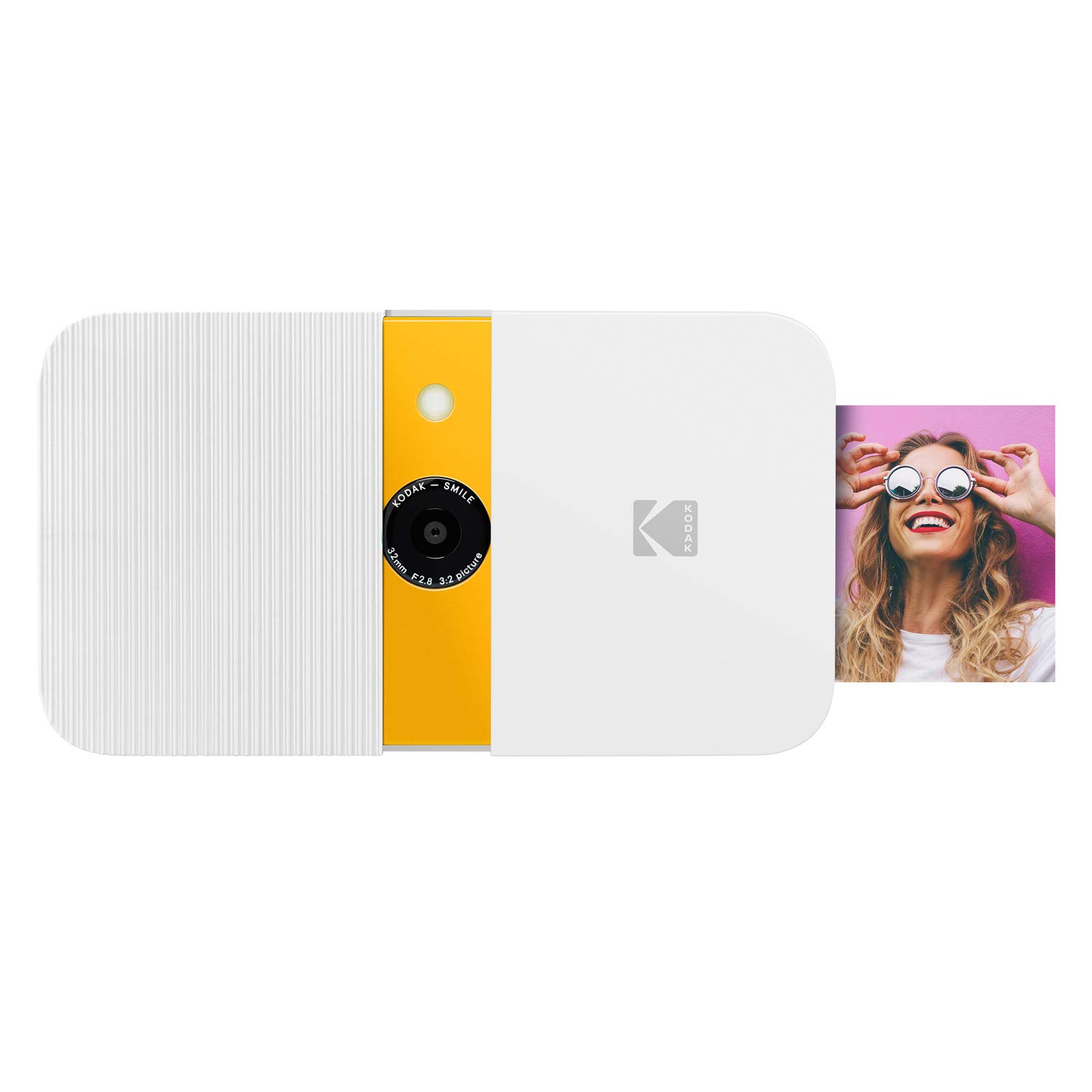
- The Kodak Smile uses ZINK technology for 2-by-3-inch sticky-backed prints and has a slide-open protective case, LCD viewfinder, built-in editor, and microSD support.
- Its description states up to 40 prints on a charge.
- The Mini Shot 3 Retro prints larger 3-by-3-inch square photos and can also print images from a compatible smartphone through its app.
Sticker-print alternative
200+ ratings
Read Amazon ReviewsKodak Smile+ Instant Print Camera
The Mini Shot 3 Retro suits buyers who want larger square prints. The Smile+ may suit someone who prefers smaller adhesive-backed photos and wants to switch among built-in effects or personalize images in its app.
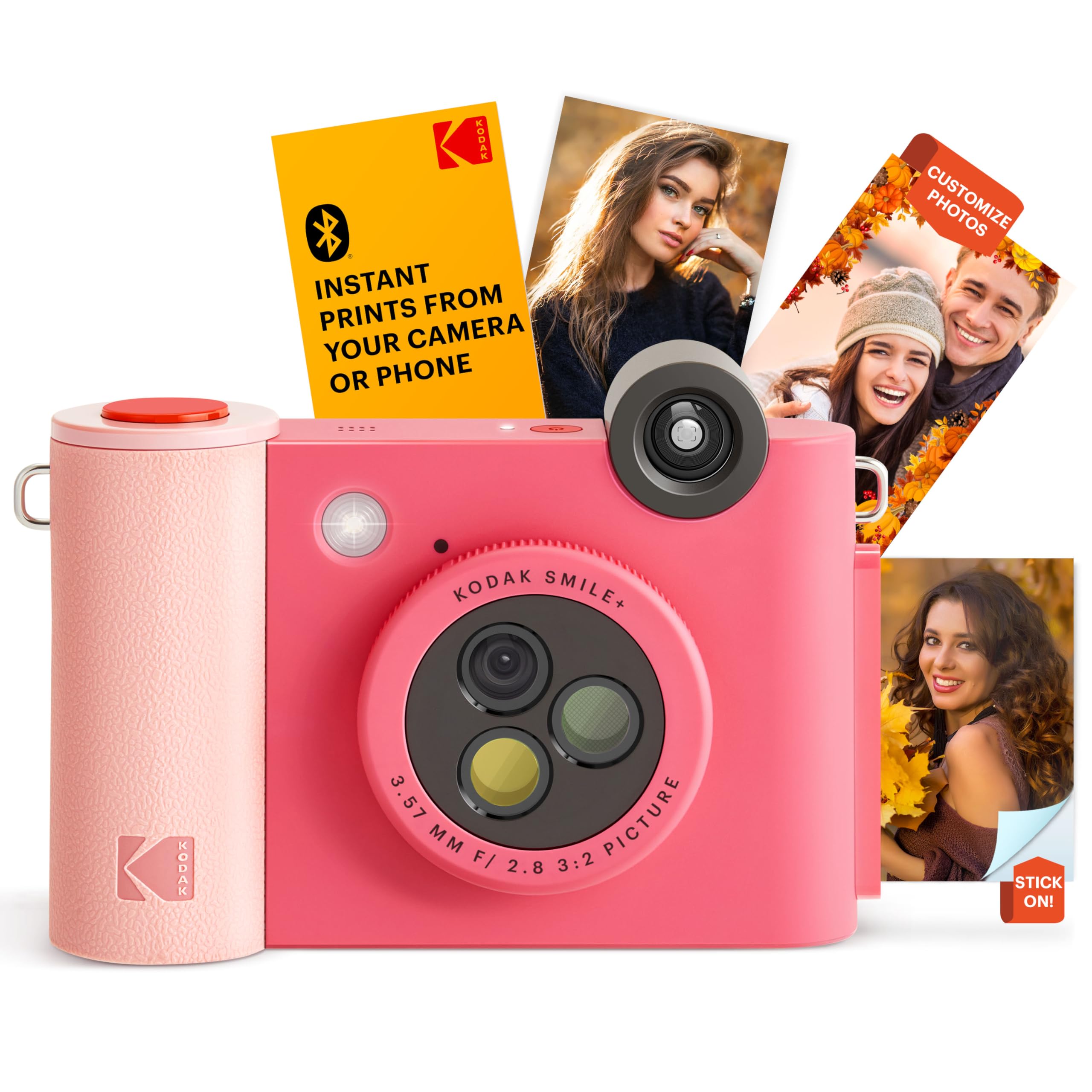
- The Kodak Smile+ captures and prints 2-by-3-inch ZINK sticky-backed photos, offers a rotating lens for standard, retro, or star effects, and connects to a phone by Bluetooth for edits with text, colors, and stickers.
- The Mini Shot 3 Retro combines a camera with 3-by-3-inch printing and app-based phone printing.
Is Mini Shot 3 Worth It?
The KODAK Mini Shot 3 Retro is worth considering if a single device for taking and printing photos, a square keepsake format, and phone-based printing match your routine.
Its app editing and included starter supplies make it practical to try at parties, on trips, or in creative projects.
Before buying, weigh the roughly 55-second print process, the larger print size, and the ongoing need for compatible paper and cartridges.
If those tradeoffs fit your plans, it offers a flexible way to make physical photos from both camera and phone images.
Your review at a glance
6,000+ ratings
Read Amazon ReviewsKODAK Mini Shot 3 Retro
A good fit for scrapbookers, families, and casual photographers who want square prints from a camera or compatible smartphone.
- Two-in-one design combines a digital camera with a portable photo printer.
- Prints square 3-by-3-inch photos from the camera or from a compatible iOS or Android smartphone.
- Uses 4PASS dye-sublimation printing, building an image in three color layers and finishing it with a clear protective lamination layer.
- The printing process takes approximately 55 seconds per photo; the prints are designed to resist fingerprints, water, and fading.