For someone who enjoys making, listening, playing or fine-tuning a setup, the right tech gift can make a familiar routine more enjoyable.
These 12 ideas range from creative tools to desk upgrades and portable power. Check compatibility and current product details before buying.
12 Gift Ideas for People Who Love Tech
HP Sprocket Select Instant Photo Printer

- Prints 2.3 x 3.4-inch photos from a smartphone or social media.
- Uses glossy sticky-back photo paper with colors embedded inside.
- The HP app offers editing tools, frames and filters for personalizing snaps.
Best Gift For: A phone photographer who likes turning favorite images into keepsakes.

HUANUO FlowLift Dual Monitor Stand

- Designed for two screens in the supported size and weight ranges.
- Offers tilt, swivel and rotation adjustments for screen positioning.
- Built-in cable management guides wires along the arms.
Best Gift For: A home worker or gamer with two compatible screens and a suitable wooden desk.
TMY Portable Mini Projector with 80-Inch Screen
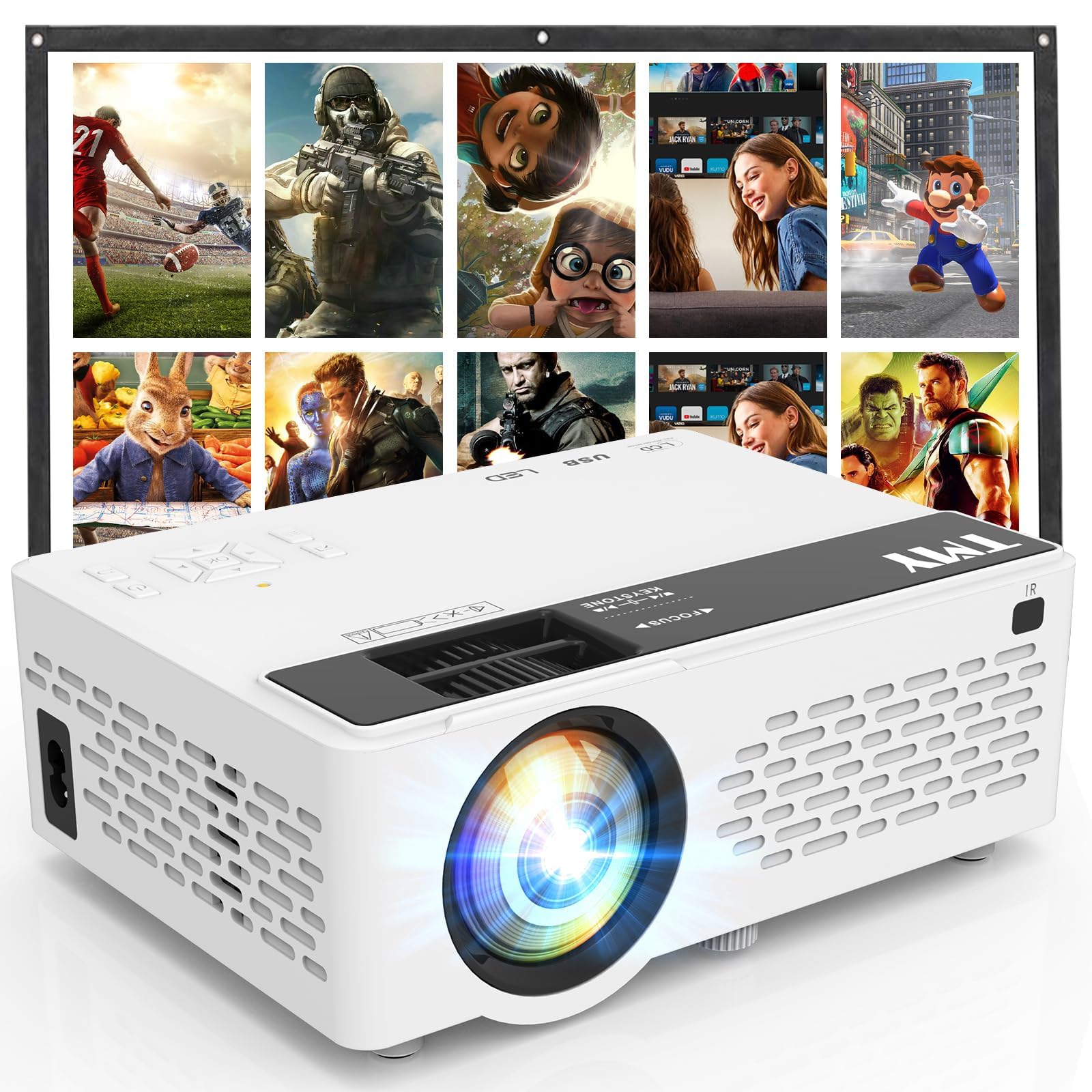
- An 80-inch foldable projection screen is included.
- Bluetooth can connect the projector to an external speaker or soundbar, or the projector can play audio from a phone or tablet in Bluetooth Speaker Mode.
- Built-in HDMI and USB ports connect compatible devices.
Best Gift For: A movie fan who would enjoy setting up shared viewing at home or outdoors.
SteelSeries Arctis Nova Pro Wireless Gaming Headset

- Active noise cancellation and a transparency mode offer listening options.
- Two hot-swappable batteries keep a spare charging in the base station.
- Bluetooth can mix calls or music with game audio.
Best Gift For: A gamer who switches between supported gaming systems and mobile audio.
FIFINE T669 USB Microphone Kit

- The USB connection supports plug-and-play recording on PC and laptop.
- Includes an adjustable boom arm and double pop filter.
- The kit includes a shock mount and USB cable.
Best Gift For: A podcaster, streamer or voiceover creator using a PC or laptop.
TP-Link Archer AXE75 WiFi 6E Router

- Tri-band WiFi 6E supports browsing, streaming, gaming and downloading, with speeds up to 5400 Mbps.
- OneMesh support can connect with a TP-Link OneMesh extender.
- A modem is required for most internet service providers.
Best Gift For: A household upgrading its network for gaming, streaming or many connected devices.
SteelSeries Apex Pro Wired Gaming Keyboard

- Per-key actuation can be adjusted across 40 levels.
- Two actions can be programmed to the same key.
- The OLED display shows information from games and apps.
Best Gift For: A PC gamer who likes tuning key response and customizing controls.
Audioengine A2+ Wireless Computer Speakers

- The speakers are designed for desktop listening.
- An integrated DAC connects directly to a computer through USB-C.
- Bluetooth and wired inputs support several source devices.
Best Gift For: Someone who listens to music, podcasts or games at a desk.
Nulaxy Pull-Out Height Adjustable Laptop Stand

- The stand fits laptops from 10 to 17 inches.
- A pull handle makes it possible to switch sitting and standing posture.
- It folds for compact storage and portability.
Best Gift For: A laptop user who wants screen positioning flexibility at a desk.
SteelSeries Aerox 3 Wireless Gaming Mouse

- The mouse has a three-zone RGB lighting system.
- It supports wireless gaming on 2.4GHz and Bluetooth 5.0.
- The sensor is a TrueMove Air optical gaming sensor.
Best Gift For: A PC gamer looking for a wireless mouse with customizable lighting.
LISEN 3-in-1 Travel Power Bank with Wall Plug
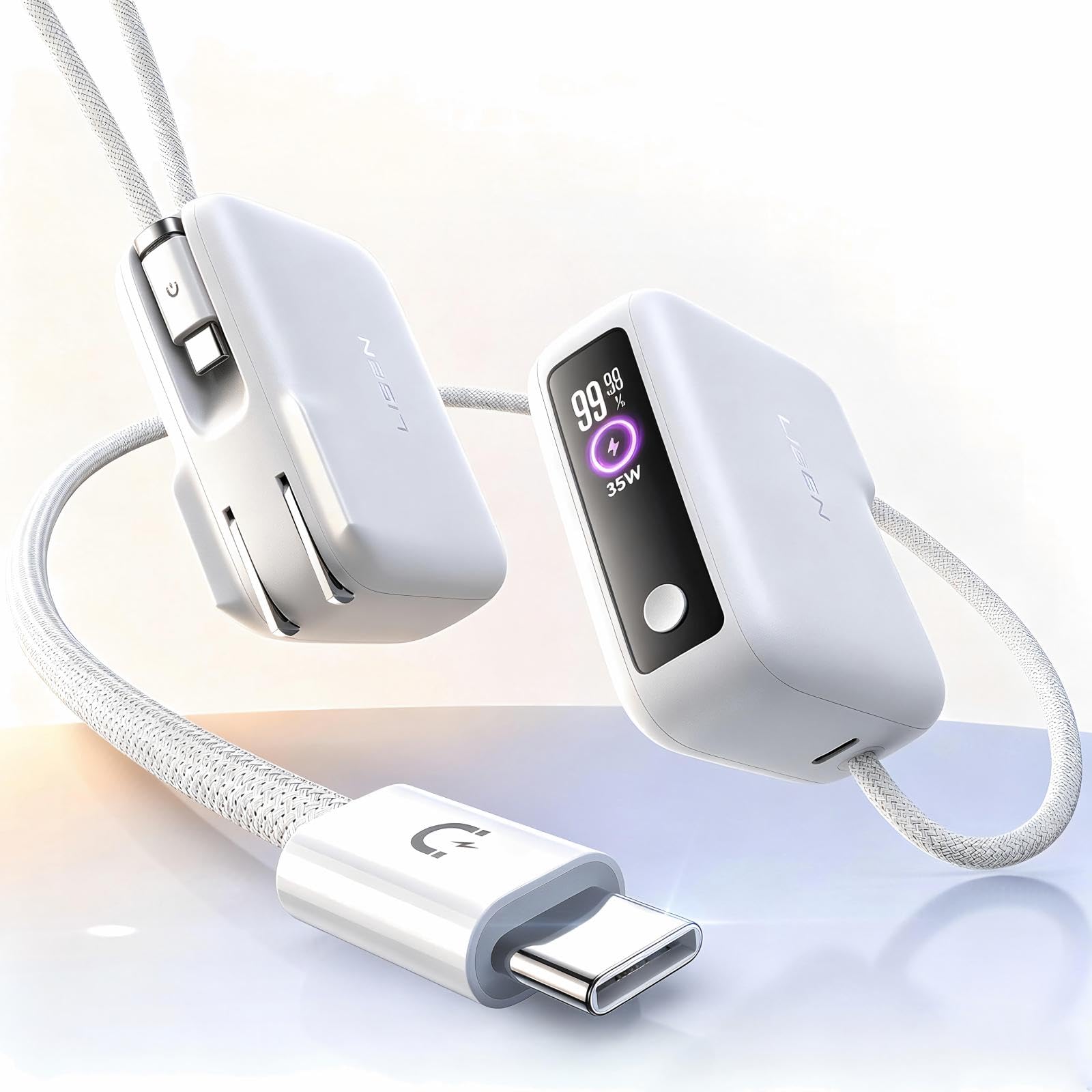
- Combines a wall plug, portable charger and built-in cable in one device.
- The built-in cable is 3.3 feet long.
- The power bank has 7000mAh capacity.
Best Gift For: A frequent traveler or busy phone user who appreciates having charging cables close at hand.
MAONO Wave T5 Mini Wireless Lavalier Microphone

- The microphone has four one-tap voice filters.
- The charging case provides 40 hours of total use.
- The receiver has a Type-C port for charging a phone while connected.
Best Gift For: A vlogger, interviewer or creator recording video with a phone, camera or PC.
1. Match Tech Gifts to the Recipient’s Routine
For gifts for people who love tech, start with the routine they already enjoy: recording a podcast, settling in for a game, arranging a home office or saving favorite phone photos. A useful present fits naturally into an existing habit instead of asking its recipient to learn a whole new one.
Think about where the gift will be used. A desk-based listener may appreciate better sound nearby, while someone who records clips might value a microphone that fits their phone or camera setup.
A projector can suit shared movie nights, but only if there is room and interest in arranging a viewing.
For setup-heavy choices, quietly check what the recipient already owns. Monitor mounts depend on screen and desk compatibility, a router needs the right modem arrangement, and a microphone or headset must connect with the intended devices.
A discreet check can keep an exciting present practical.
2. Choose a Comfortable Spending Level
Set a comfortable budget before narrowing the options. The selection spans small accessories and workspace improvements through more substantial audio and gaming equipment, so a thoughtful choice does not need to be the most ambitious item on the page.
Focus on the feature that will matter most in daily use.
Consider what else the recipient may need to use the gift. A screen mount can be worthwhile when it suits both monitors and desk; a projector experience depends on the playback device and viewing space.
Leave room in the budget for any compatible accessories the recipient will need.
Check actual prices before purchase, since they can change. Compare the complete setup cost, including any necessary adapters or supporting equipment, and decide whether the core product alone makes a satisfying gift.
A clear spending limit can also help you choose between a practical upgrade and a shared entertainment idea.
3. Personalize Gifts for People Who Love Tech
Gifts for people who love tech feel more considered when they connect to the recipient’s own setup or creative interests. Think about whether they edit photos, stream games, record conversations, listen to podcasts or switch between work and play at a desk, then choose a feature that supports that specific routine.
Presentation can make a practical device feel personal. Pair a photo printer with a small album, write a note suggesting a first movie night, or include a message about the kind of project the microphone could help them start.
Keep add-ons simple and check that they work with the main gift.
If the present needs setup, offer help without taking over. You could ask whether they would like assistance arranging a workspace, checking connections or trying a new recording idea.
For someone who prefers control over their gear, a thoughtful card and room to customize the setup may be the better finishing touch.
4. Consider the Complete Setup
Before choosing a desk upgrade, check the recipient’s space and devices. A mount needs compatible screens and a suitable desk, while a laptop stand needs to fit the laptop and work area.
Measure or check the models discreetly if you can; an attractive idea is more useful when it fits the actual setup.
For network and audio gifts, compatibility deserves similar attention. Confirm the recipient’s internet equipment before choosing a router, and check that speakers or microphones connect to the computer, phone or gaming system they use.
Product details can change, so review current compatibility information before ordering.
For entertainment gifts, think about how the person prefers to spend time. A projector suits someone who enjoys setting up a shared viewing, while a headset may fit a player who wants a more individual experience.
The best match is the one that feels easy to bring into their ordinary routine.
5. Last-Minute Buying Advice
When time is short, favor gifts with a clear fit and a straightforward setup. A portable charging idea may suit someone often away from a desk; a photo printer can be an easy match for a person who regularly takes pictures.
Check the device compatibility first, especially if the gift connects to a specific phone or computer.
Review current product details, dimensions and delivery estimates before you place an order. Availability and arrival timing can vary, so avoid assuming a gift will arrive by a particular date.
If timing is uncertain, a printed note explaining the planned gift can make a considerate placeholder.
For a gift that needs more research, ask a trusted person who knows the recipient’s setup to confirm the essentials. Keep the question discreet and narrow, such as checking a device model or workspace fit.
That small check can prevent a last-minute mismatch and help the recipient enjoy the present sooner.