A useful gaming gift can sharpen a familiar setup, make shared play more comfortable, or add a little personality to a desk. The right choice depends on how and where the recipient plays.
These eight gifts for gamers include options for focused PC play, streaming, audio, and a more immersive room setup.
8 Gift Ideas for Gamers, from Desk Upgrades to Big-Screen Play
SteelSeries Apex Pro TKL Gaming Keyboard

- Adjustable per-key response lets players tailor key presses to different actions.
- Two actions can be assigned to one key, such as a light touch for walking and a deeper press for sprinting.
- A tenkeyless layout retains full-size functionality in a more compact form.
Best Gift For: PC gamers who like tuning key response to their play style.

SteelSeries Rival 5 Gaming Mouse

- The programmable layout includes quick-action side buttons for frequently used commands.
- Its optical sensor is designed for one-to-one tracking.
- The lightweight design weighs 85g.
Best Gift For: Players who enjoy fast-paced games and want programmable controls close at hand.
SteelSeries Arctis Nova 5 Wireless Gaming Headset
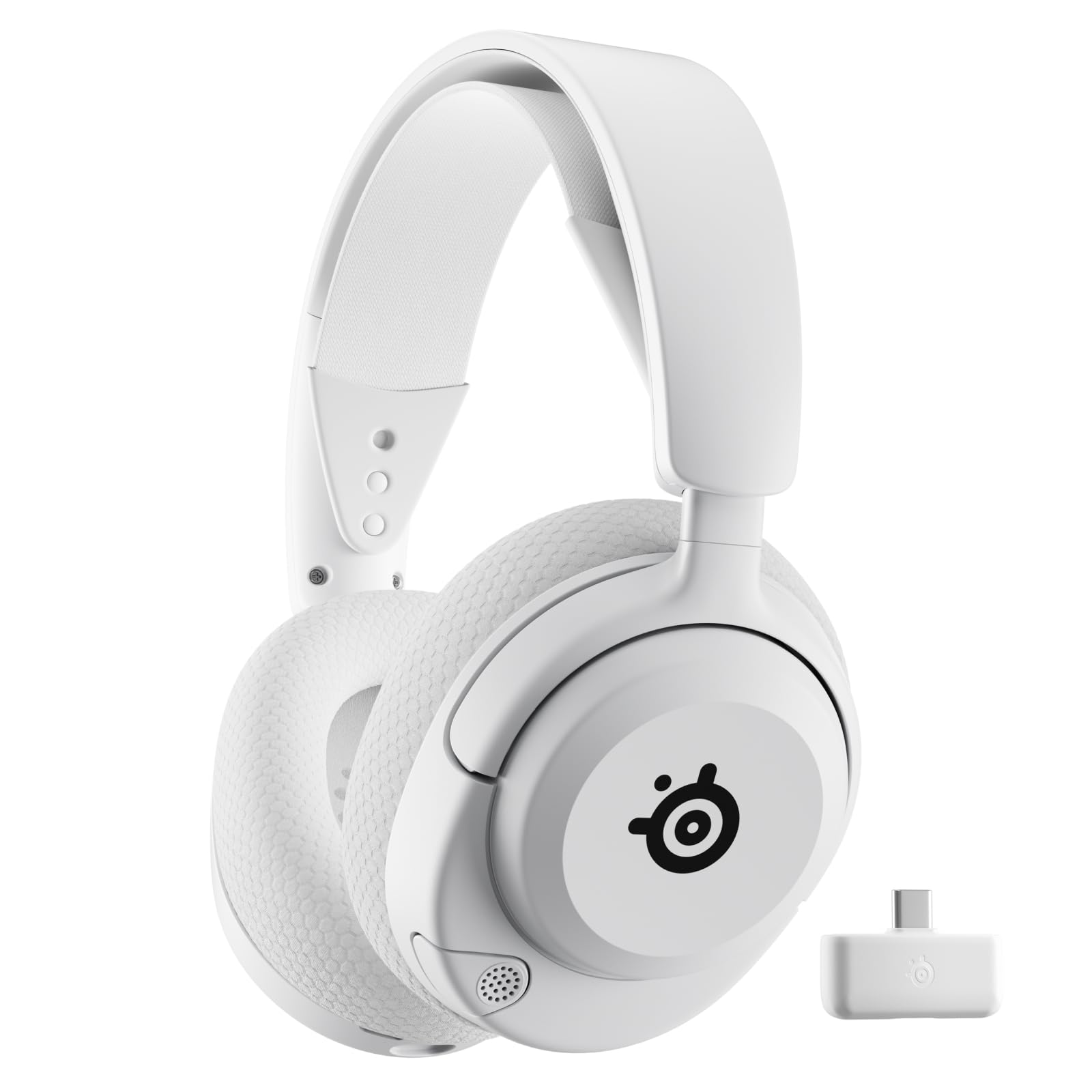
- Switch between 2.4GHz gaming audio and Bluetooth with a button press.
- The headset offers up to 60 hours of battery life.
- A retractable microphone can be pulled away when it is not needed.
Best Gift For: Gamers who want wireless audio across compatible gaming and mobile devices.
FIFINE AmpliGame AM8 XLR/USB Gaming Microphone

- USB and XLR connections support different audio setups.
- The microphone has a tap-to-mute control and gain knob.
- RGB lighting can be changed or turned off with the RGB button when using USB.
Best Gift For: Gamers who stream, record voiceovers, or host podcasts.
TP-Link Archer AXE75 WiFi 6E Router

- Tri-band WiFi 6E supports concurrent browsing, streaming, gaming, and downloads.
- The 6 GHz band brings more bandwidth and faster speeds, and is intended to enable more responsive gaming and video chatting.
- OneMesh support can connect with a TP-Link OneMesh Extender for whole-home coverage.
Best Gift For: Gamers upgrading a home network used for gaming, streaming, and other devices.
HUANUO FlowLift Dual Monitor Stand

- Each monitor must be 13 to 32 inches, weigh 4.4 to 19.8 lbs, and have VESA mounting holes at 75x75mm or 100x100mm.
- The arms offer tilt, swivel, and full rotation for adjusting screen position.
- Cable management guides wires along the arms.
Best Gift For: PC gamers with two compatible monitors who want more open desk space.
Nylavee Computer Speakers with 6 Lighting Modes

- Touch controls offer six lighting modes for personalizing a desk setup.
- A single knob controls power and volume.
- The speakers connect by 3.5mm audio and use USB for power.
Best Gift For: Gamers who want desktop speakers with customizable lighting and wired connections.
Valerion VisionMaster Pro2 4K Laser Projector
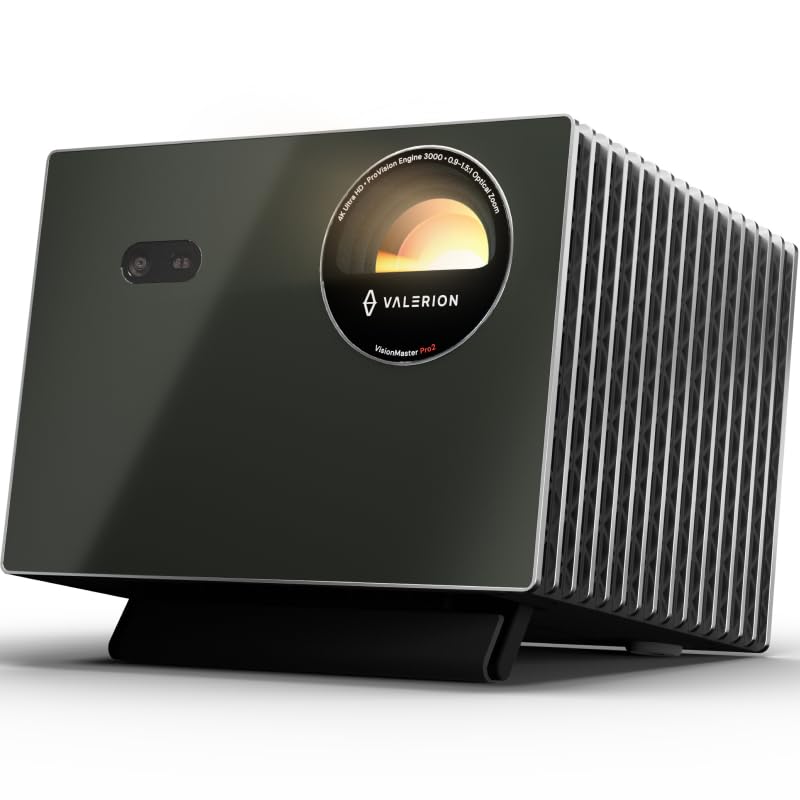
- The projector offers 4K UHD clarity with HDR10+ support.
- The gaming feature set includes 4ms input lag and a 240Hz refresh rate on supported ultra-wide screen formats.
- Focus and keystone correction are among the auto-adjusting features.
Best Gift For: Gamers planning a dedicated room setup for large-screen play and movie nights.
Choosing gifts for gamers by how they play
Start with the recipient’s routine: a competitive player may value controls that can be personalized, while someone who streams may appreciate a microphone that fits their recording setup. A friend who plays from a living room may get more use from an audio or display upgrade than another desk accessory.
Consider what they already own before choosing a device that connects to a particular system or changes the whole setup. Check compatibility with their computer, console, network equipment, and available desk or room space.
If you are unsure, choose a gift that complements their habits without requiring several other purchases.
Think about the friction the gift could remove. A player juggling calls and game audio may welcome convenient audio switching, while a crowded desk could benefit from an organizational change.
For gifts for gamers, practical fit often matters more than the most dramatic feature list.
Balance the budget with the full setup
Set a comfortable spending range first, then compare gifts that solve a similar need. Small accessories can be meaningful when they suit a recipient’s setup; a larger home upgrade may make sense when it serves more than one person.
Avoid assuming a higher price automatically means a better match.
Include any supporting equipment in your decision. A display mount depends on compatible monitors and desk conditions, while a projector works best when the room can support its placement and viewing needs.
Consider the total setup cost, including any cables or accessories the recipient may need to use the gift.
Check actual prices before purchasing, since they can change. If you are choosing between a personal upgrade and shared equipment, consider who will use it and how often.
The most satisfying gift may be the one that fits the budget while making a familiar gaming session easier or more enjoyable.
Personalize the gift and its presentation
Personalization can start with the recipient’s favorite kind of play, their preferred desk style, or the way they share games with friends. For gifts for gamers, a short note that connects the choice to a real habit can make even a practical accessory feel thoughtful.
If you are uncertain about compatibility, ask a discreet question or enlist someone who knows the recipient’s setup. Keep the packaging easy to inspect, especially for devices that may need to be matched to a particular computer, console, desk, or room arrangement.
A gift receipt can make an uncertain fit less stressful.
For shared gifts, add a plan for enjoying it together: an evening of co-op play, a movie after a gaming session, or help arranging a new desk setup. Keep the gesture low-pressure and let the recipient decide how to personalize lighting, controls, or placement once they have had a chance to try it.
Last-minute gifts for gamers: make the fit easy
When time is short, choose a product that works with equipment the recipient already uses, and verify compatibility before ordering. Review the seller’s current delivery estimate and return terms at checkout.
Avoid promising a particular arrival date until the order details confirm it.
A digital note or printed card can explain why you chose the gift if the package arrives later. Keep the message specific: mention the hobby, setup, or shared game night that inspired it.
That small context makes a practical purchase feel considered, even when you had limited time to shop.
For a quick decision, narrow the options by the recipient’s main activity and the space they have available. Check dimensions, connection types, and any system requirements directly before buying.
These simple checks help you give something that can join their setup without turning the occasion into a troubleshooting task.
Wrap up with a gift that suits their play
A useful gaming gift reflects the person’s habits: where they play, what they enjoy, and which part of their setup they might like to improve. When those details are unclear, keep the choice flexible and avoid building expectations around features they may not use.
Give yourself a moment to confirm the product name and compatibility details at checkout, especially for items that need to fit existing equipment. Recheck actual pricing and delivery estimates close to purchase, since those details can shift.
Thoughtful planning does not have to mean making the decision complicated.
Whether you choose an audio upgrade, a desk improvement, or shared entertainment gear, present it as an invitation to enjoy the hobby in their own way. A brief personal note and a little attention to the recipient’s setup can make the gift feel at home from the start.