The best USB hubs depend on which connections your computer lacks, from basic USB-A expansion to HDMI, card readers, and device charging. These picks cover compact travel adapters, switchable desktop hubs, and high port counts; check your host’s USB-C video and power support before buying.
Quick Top Products
SABRENT 5-in-1 USB-C Hub HB-TG5P
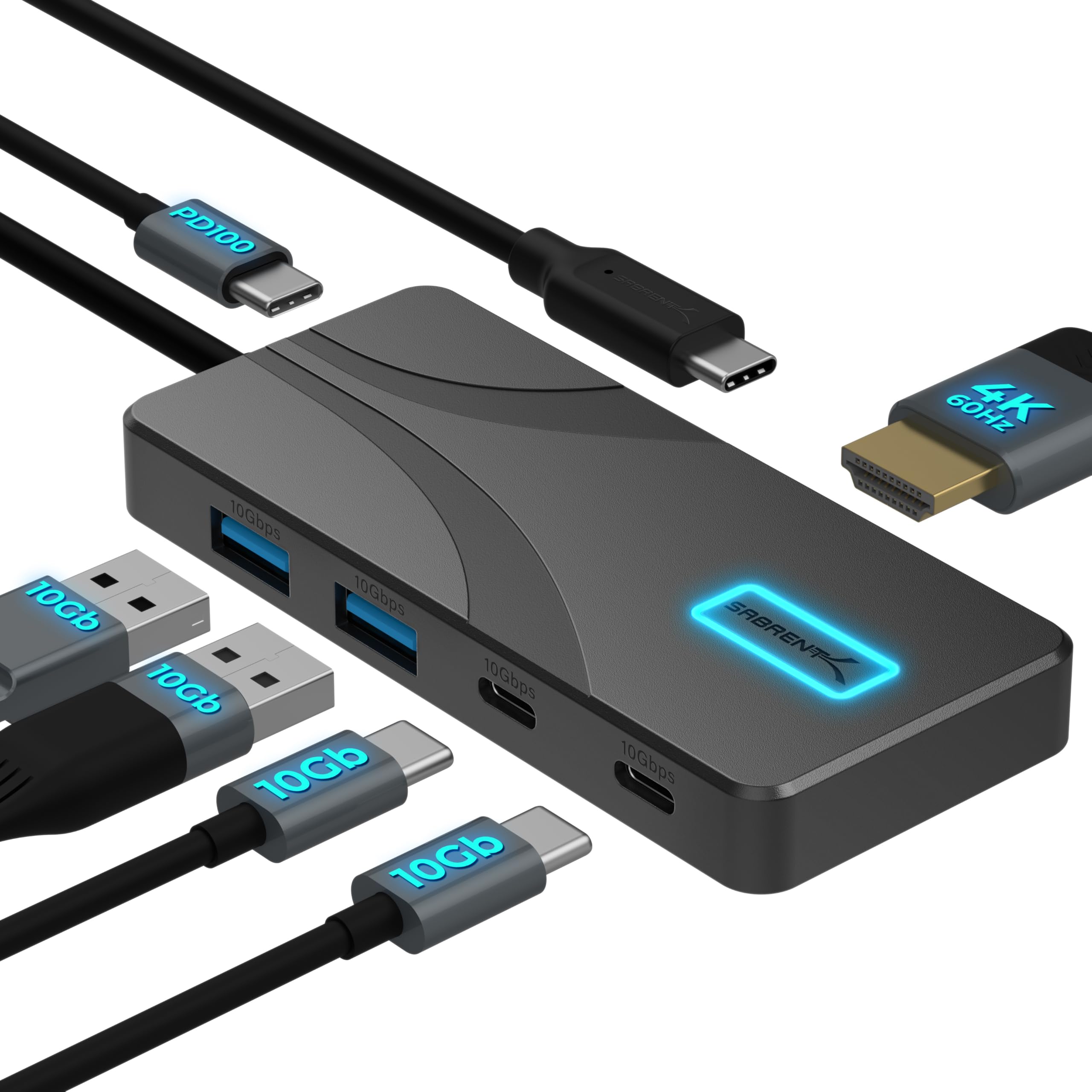
- Four USB-A and USB-C data ports support speeds up to 10Gbps.
- HDMI supports up to 4K at 60Hz on compatible devices.
- Passes up to 80W from a 100W PD charger to the laptop.
Best For: Laptop users who want fast USB-A and USB-C ports, 4K display output, and pass-through charging.

SABRENT USB-C Hub HB-SHPU
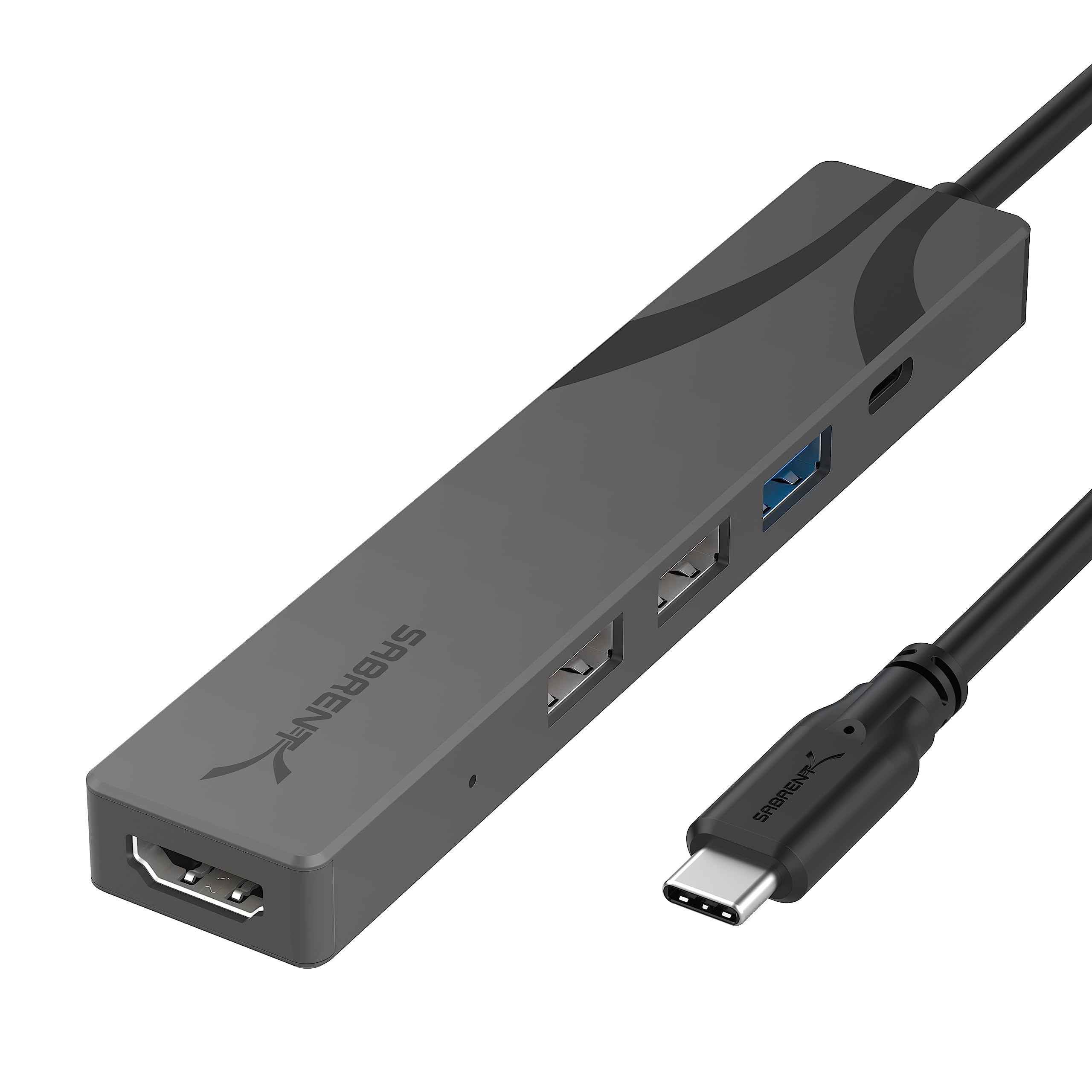
- Adds three USB-A ports with one 5Gbps port and two 480Mbps ports.
- HDMI supports output up to 4K at 60Hz.
- Accepts up to 90W power delivery input.
Best For: Travelers who need HDMI, three USB-A ports, and laptop charging in a small hub.
SABRENT USB-C Hub & M.2 SSD Dock HB-6PNV

- The internal M.2 slot supports M.2 SATA or NVMe SSDs.
- HDMI supports up to 4K at 60Hz.
- Includes Gigabit Ethernet and up to 90W bypass charging.
Best For: Laptop and handheld users who want an M.2 drive slot alongside display, networking, and USB ports.
j5create USB-C Multi-Port Hub JCD373EC
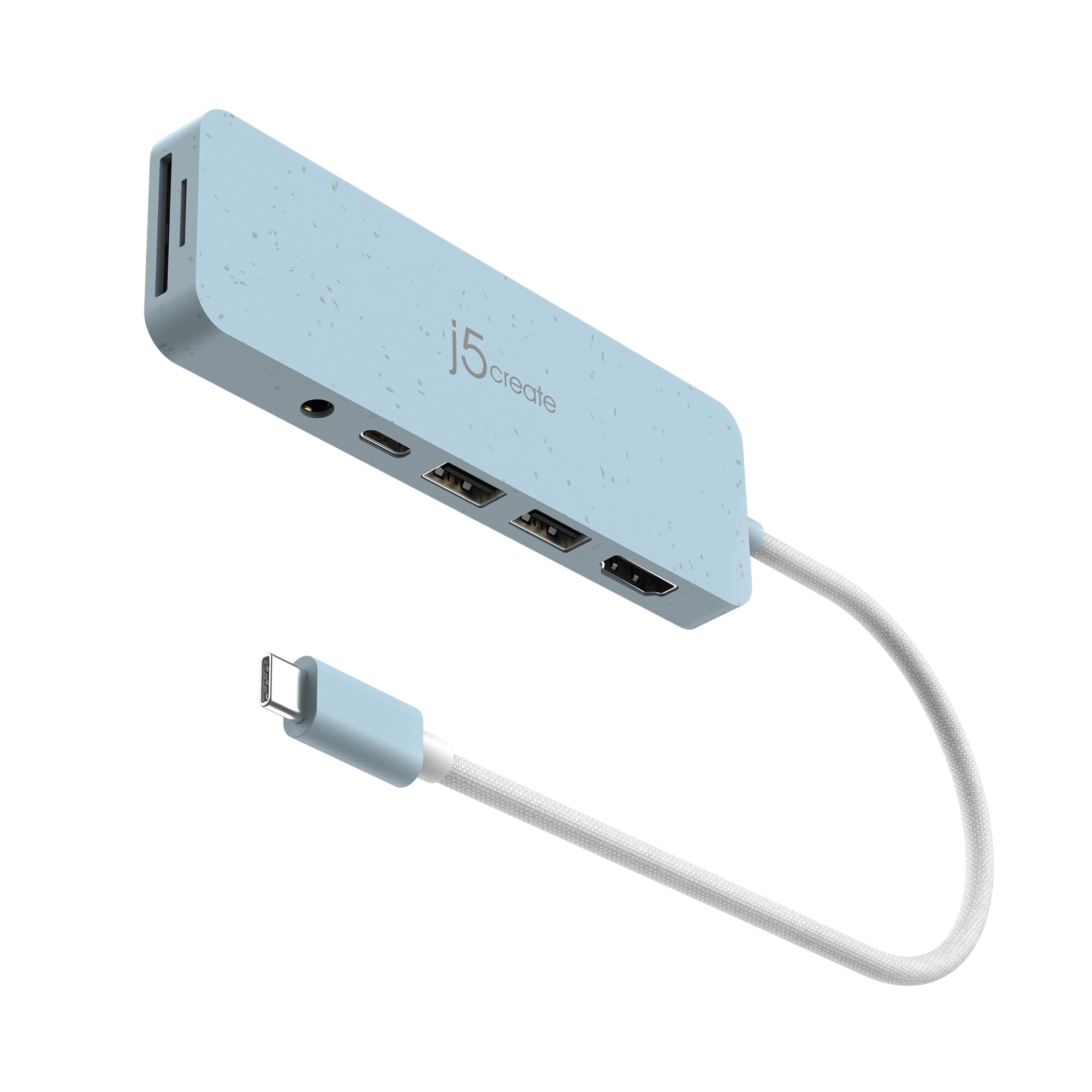
- Includes HDMI, two USB-A ports, SD and Micro SD readers, audio, and PD.
- USB-A ports support data transfer up to 5Gbps.
- HDMI supports up to 4K at 30Hz.
Best For: Laptop users who need HDMI, memory card slots, a headphone jack, and USB-A connections in one adapter.
SABRENT USB-C 5-in-1 Hub HB-U3CR
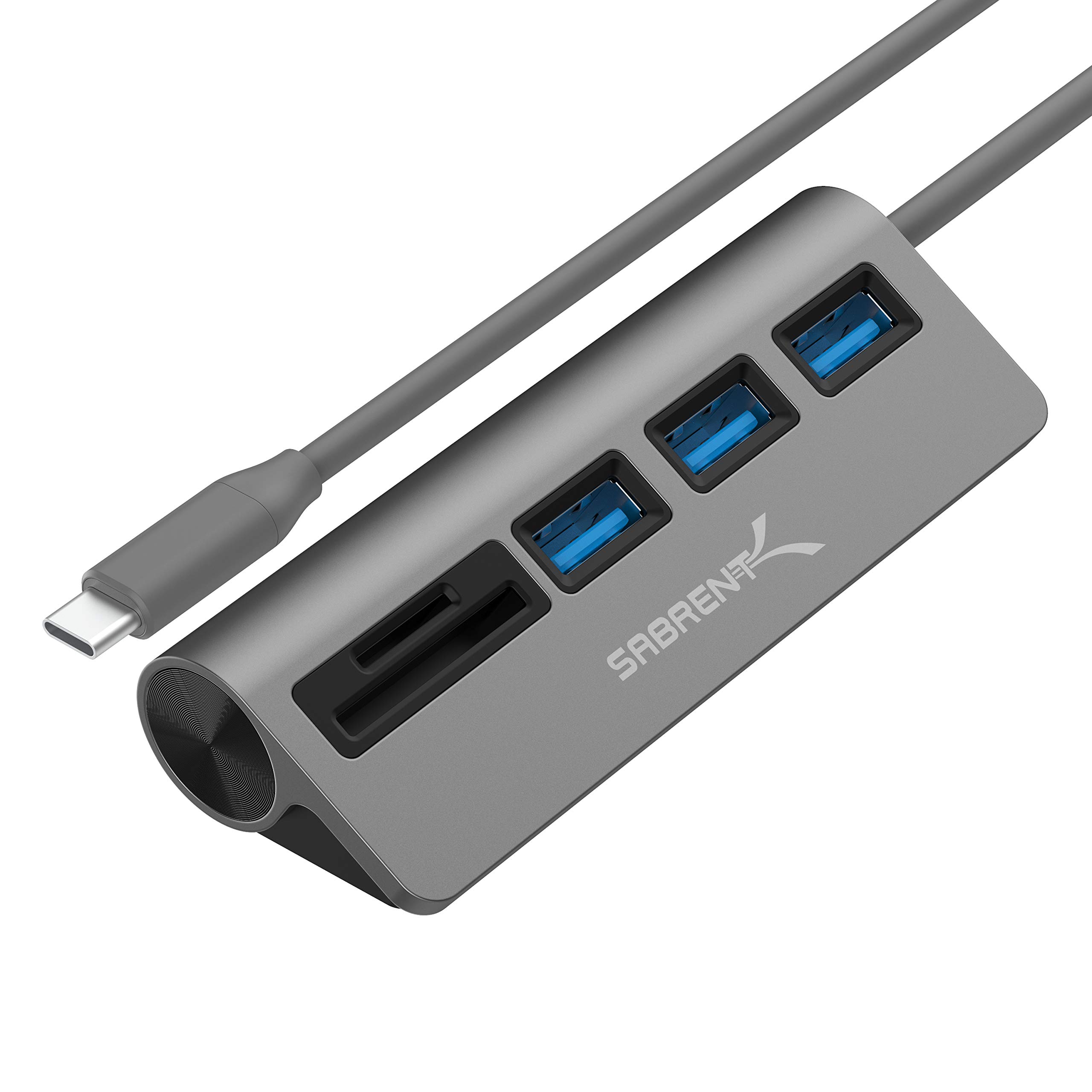
- Adds three USB 3.0 Type-A ports.
- Supports SD/SDHC and Micro SD cards.
- Data transfer is rated up to 5Gbps.
Best For: Photographers and mobile workers who need SD and Micro SD access plus three USB-A ports.
SmallRig 4-in-1 USB-C Hub 4598
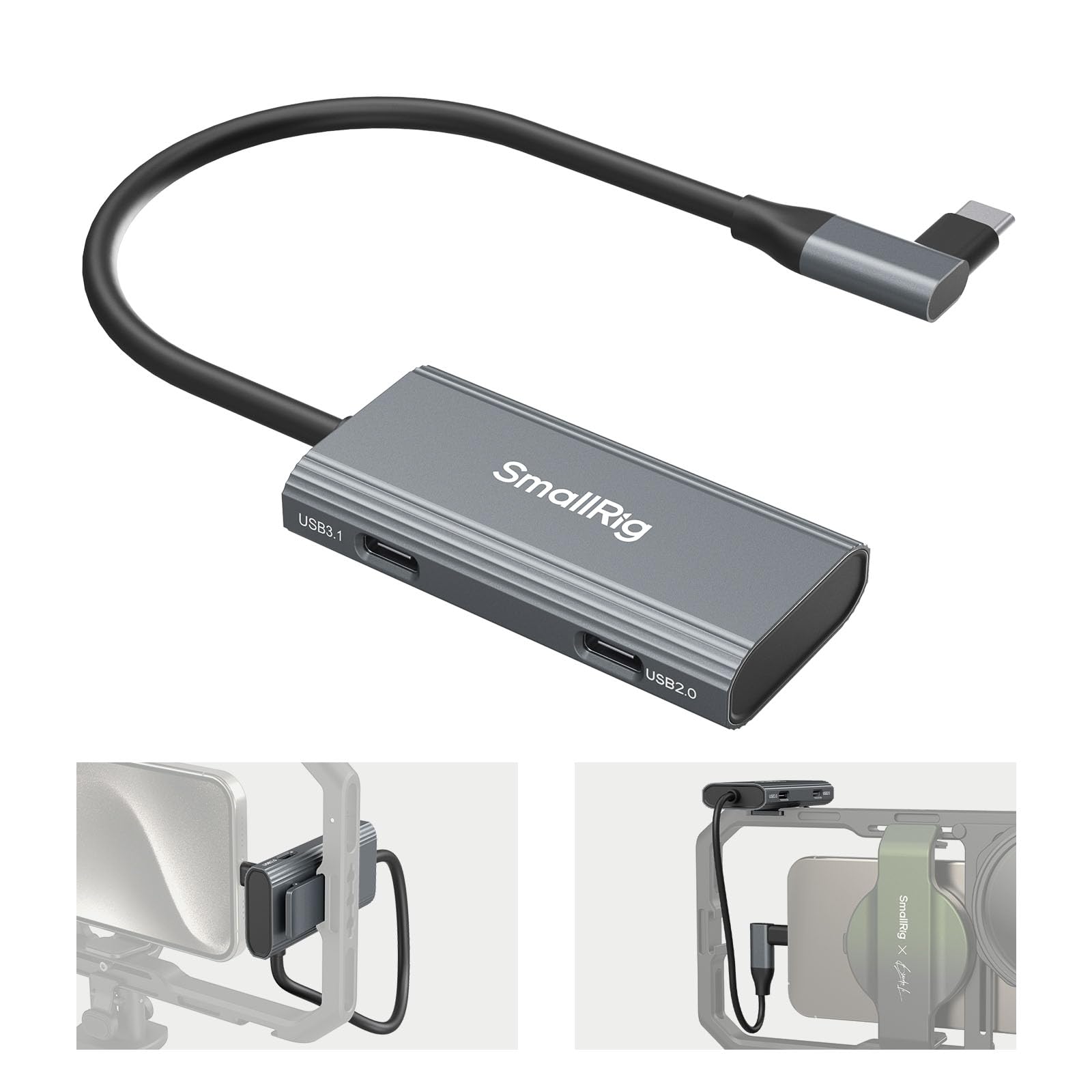
- Includes a PD charging port, one USB-C 3.1 port, and two USB-C 2.0 ports.
- USB-C 3.1 supports data transfer up to 10Gbps.
- Has a cold shoe mount and weighs 38.3 g.
Best For: Mobile video creators who want charging, fast USB-C data, and audio connections on a phone rig.
SABRENT 7-Port USB-C Hub HB-3A4C
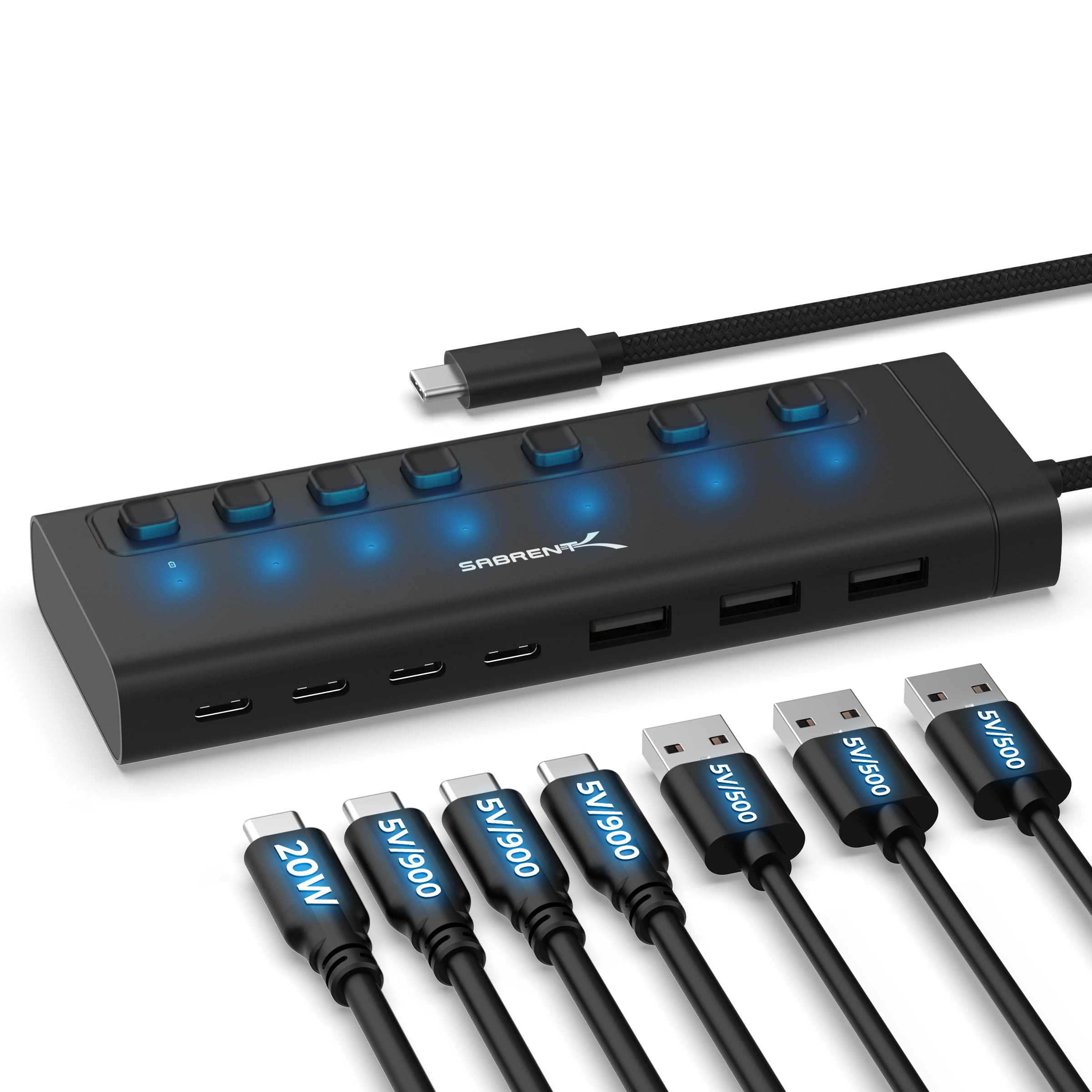
- Provides three USB-A and four USB-C ports at 5Gbps.
- Each port has an independent switch and LED indicator.
- Includes a 48W power adapter and one USB-C port supports up to 20W PD.
Best For: Desktop or handheld users who need individually switchable USB-A and USB-C connections.
SABRENT 10-Port USB 3.0 Hub HB-B7C3
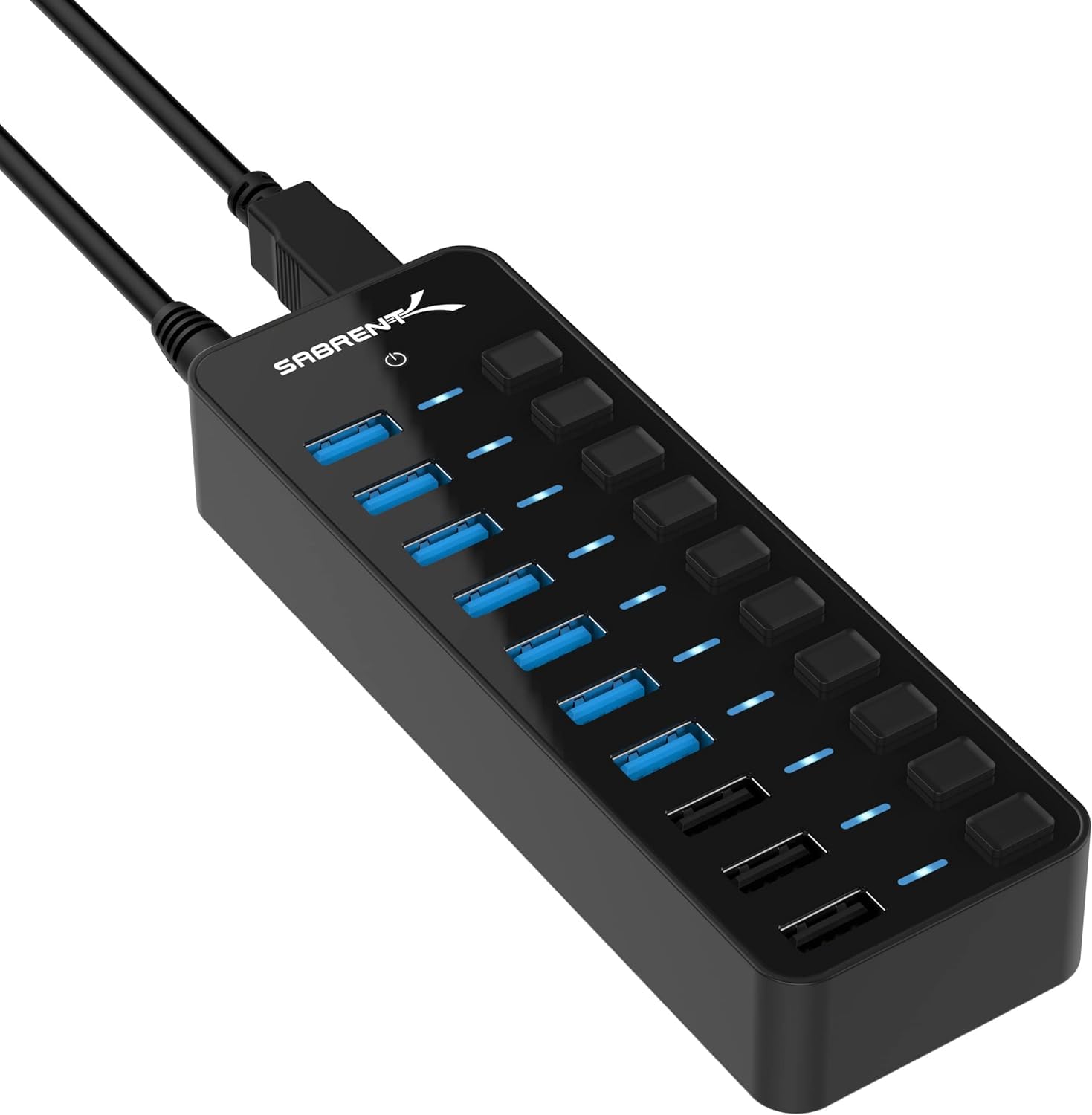
- Connects up to seven USB 3.0 devices at once.
- Has three dedicated charging ports rated up to 2.4A per port.
- Includes a 60W 12V/5A power adapter.
Best For: A desk setup that needs multiple USB 3.0 devices connected alongside separate device charging.
SABRENT 16-Port USB 3.0 Hub HB-PU16
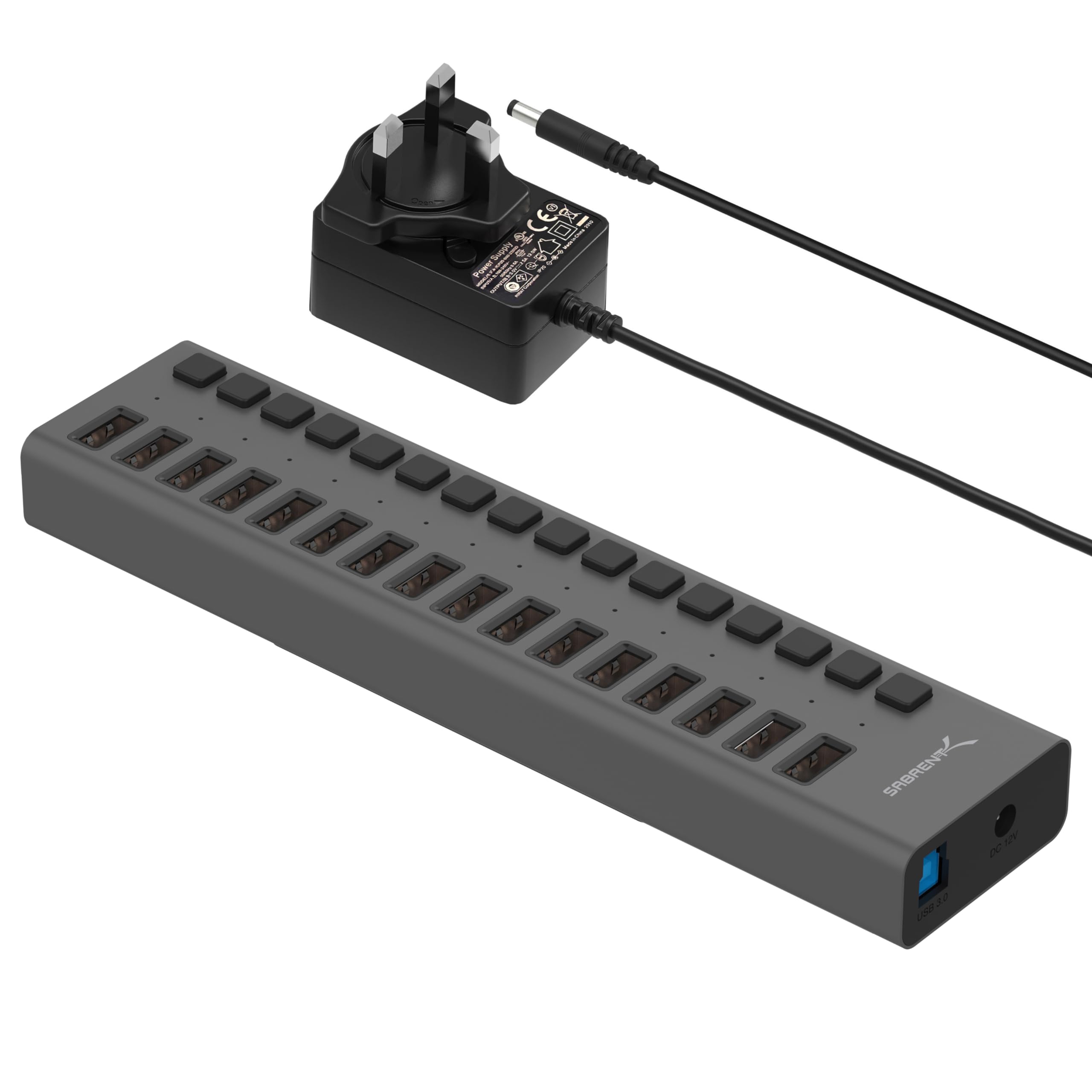
- Provides 16 USB 3.0 downstream ports.
- Supports data transfer up to 5Gbps.
- Blue LEDs indicate power status for each port.
Best For: Users who need many USB-A connections for drives, card readers, and other peripherals.
SABRENT 4-Port Aluminum USB 3.0 Hub HB-MC3B
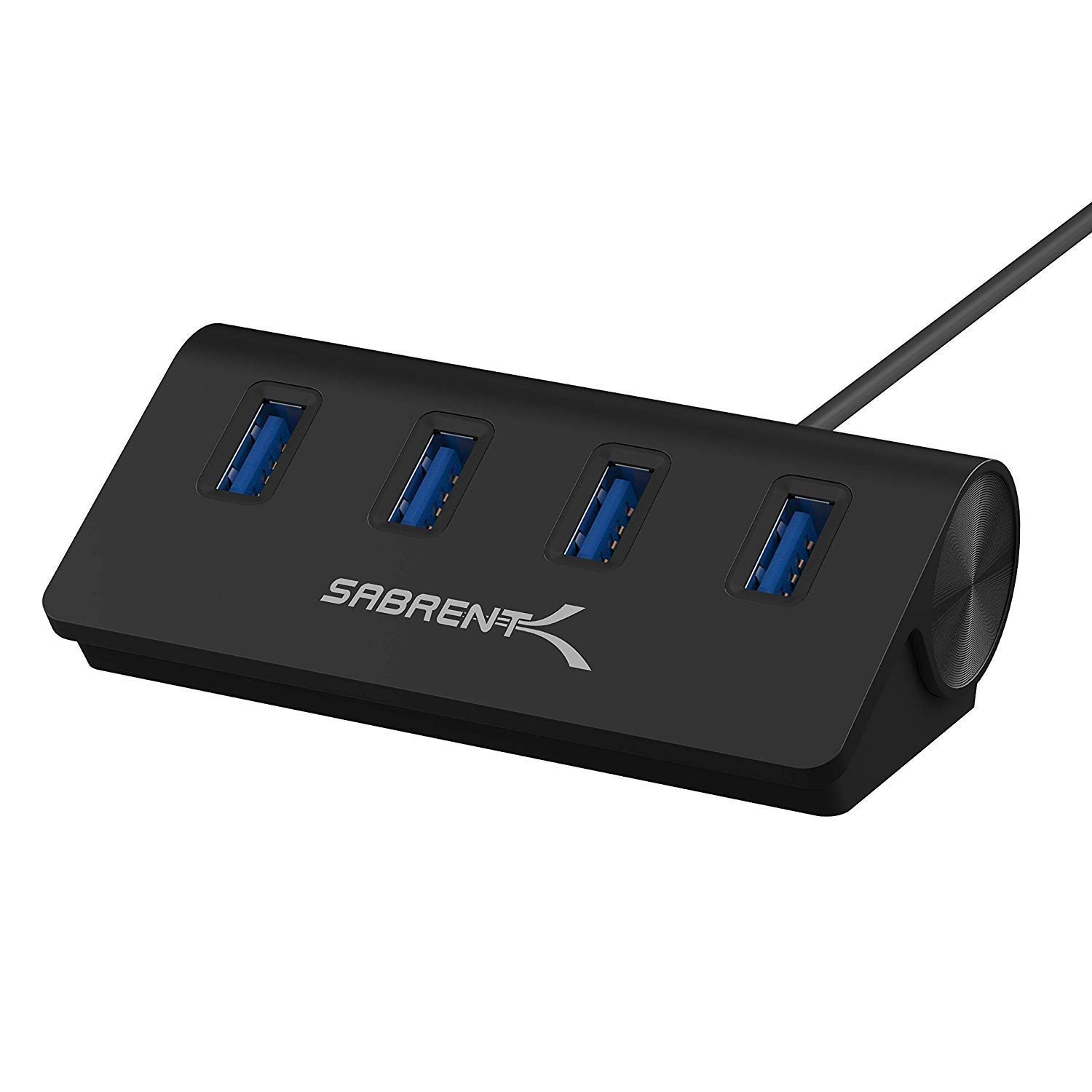
- Adds four USB 3.0 ports.
- The included cable is 2.5ft long.
- Supports transfer speeds up to 5Gbps.
Best For: Users who want a straightforward four-port USB 3.0 extension with a longer cable.
Fast USB-C Data and 4K Display
SABRENT USB C Hub 5-in-1, 10Gbps USB-A & USB-C Ports, Single 4K@60Hz HDMI, 100W PD Input, 80W Laptop Charging, Compact Aluminum Docking Station for MacBook, iPad, Laptops & Tablets (HB-TG5P)
This compact aluminum USB-C hub combines four 10Gbps data ports with HDMI output and a dedicated PD input. Connect a 100W charger to pass up to 80W to the laptop, while HDMI supports up to 4K at 60Hz on compatible DisplayPort Alt Mode devices.
Its integrated 60cm cable offers more reach than a short adapter lead, and a backlit logo doubles as the hub’s power switch. The power adapter is not included, so you will need a compatible charger to use pass-through power.
Best For: Laptop users who want fast USB-A and USB-C ports, 4K display output, and pass-through charging.
| Pros | Cons |
|---|---|
|
|
Choose this hub when fast connections for several peripherals matter alongside an external display. Its four data ports are faster than the 5Gbps connections on many simpler adapters, while its HDMI output and pass-through charging serve a laptop desk setup.
Check that the computer supports DisplayPort Alt Mode for video and MST if you need extended desktop mode. You will also need to supply the 100W PD charger; the hub passes up to 80W onward.
Compact HDMI and Charging Adapter
SABRENT Multi-Port USB-C Hub with Power Delivery, HDMI Out, 3 USB A Ports, 4K@60Hz, 90W PD, Aluminum [HB-SHPU]
This travel-focused aluminum adapter adds three USB-A ports and HDMI to a USB-C device. One USB-A port supports data up to 5Gbps, while the other two are rated up to 480Mbps, making the mix useful for a storage drive plus lower-bandwidth accessories.
HDMI supports up to 4K at 60Hz when the host has DisplayPort Alt Mode. The hub accepts up to 90W PD input, and its 15cm integrated cable avoids carrying a separate hub cable.
Its compact port mix suits lightweight expansion more than a setup needing many fast data connections.
Best For: Travelers who need HDMI, three USB-A ports, and laptop charging in a small hub.
| Pros | Cons |
|---|---|
|
|
This is a sensible pick for a travel bag when HDMI and charging matter more than a large number of high-speed data ports. It gives you one faster USB-A connection for storage and two slower ones for simple peripherals, plus HDMI and up to 90W PD input.
Before buying, verify that your USB-C device supports DisplayPort Alt Mode and that its charging needs fit the hub’s pass-through arrangement. The short integrated cable keeps the setup compact, but offers limited placement reach.
Hub With Built-In SSD Expansion
SABRENT USB-C Hub & SSD Enclosure, 6-Port Dock with M.2 SSD Slot, 90W Power Delivery, USB 3.0 & 2.0 Ports, 4K HDMI, RJ45 Gigabit Ethernet (HB-6PNV)
This aluminum USB-C hub adds a mix of connections plus an internal M.2 slot for a SATA or NVMe SSD. The drive connects at up to 5Gbps and accepts M.2 2242, 2260, and 2280 form factors, so it can combine portable storage and hub functions in one unit.
Other connections include three USB-A ports, Gigabit Ethernet, HDMI output up to 4K at 60Hz, and up to 90W bypass charging. Its broader port selection can reduce the need for separate adapters, though the SSD itself is not identified as included.
Best For: Laptop and handheld users who want an M.2 drive slot alongside display, networking, and USB ports.
| Pros | Cons |
|---|---|
|
|
Pick this model if combining an SSD slot with Ethernet and display output is more useful than getting the fastest possible external storage link. The hub supports several common M.2 lengths and both SATA and NVMe drives, but the SSD connection tops out at 5Gbps.
Confirm the drive form factor and interface before buying, and budget for the SSD separately. Its HDMI output also depends on host DisplayPort Alt Mode support.
Card Reader and Audio for USB-C Laptops
j5create USB-C Multi-Port Hub with Power Delivery with 4K HDMI/2 USB-A 5Gbps/PD 100W Charging SD&Micro SD/3.5mm Audio | for MacBook Pro&Air/iPad Pro/iMac/Surface/XPS/Thinkpad/Galaxy/and More(JCD373EC)
The j5create adapter combines seven connection points for a USB-C computer: HDMI, two USB-A data ports, SD and Micro SD readers, a 3.5mm audio jack, and USB-C PD input. Its USB-A ports support 5Gbps, while HDMI tops out at 4K at 30Hz.
The PD port accepts up to 100W for charging, and the design uses recycled material with paper packaging. It is a useful mix for office work and media-card access, but buyers seeking smoother high-refresh display output should check the 30Hz HDMI limit against their needs.
Best For: Laptop users who need HDMI, memory card slots, a headphone jack, and USB-A connections in one adapter.
| Pros | Cons |
|---|---|
|
|
Choose this adapter when SD or Micro SD access and analog audio are as important as adding USB-A ports. It has a broader mix than a basic multiport dongle, and its PD input can accept up to 100W.
The main display tradeoff is HDMI at up to 4K/30Hz. Check that refresh-rate ceiling and your host’s USB-C support before buying, and look for card transfer-rate details if moving large media files is central to your workflow.
USB-C Hub With Dual Card Reader
SABRENT USB-C 3.0 Hub, 5-in-1 USB SD Card Reader, SD & TF Dual Slot + 3 USB 3.0 Hub Portable Compatible with MacBook, Mac Pro/Mini, iMac, XPS, Surface Pro, Windows, Thunderbolt (HB-U3CR)
This USB-C hub focuses on data access, combining three USB 3.0 Type-A ports with an all-in-one card reader for SD and Micro SD cards. The ports and card reader support transfer rates up to 5Gbps as described in the product notes, and the design is plug-and-play and hot-swappable.
It does not add HDMI output or a power delivery input, so it fits best when you need card and peripheral access rather than a full docking station. Check whether your host connection and card formats match your workflow before choosing it.
Best For: Photographers and mobile workers who need SD and Micro SD access plus three USB-A ports.
| Pros | Cons |
|---|---|
|
|
This hub fits a workflow centered on reading memory cards and attaching USB-A devices to a USB-C computer. Its three USB 3.0 ports provide a clear advantage over a card reader alone, while the listed SD/SDHC and Micro SD support covers two common card types.
It is not a display adapter or a charging hub based on the supplied details. Confirm those functions are unnecessary and verify card-format needs before buying.
Mobile Video Rig Hub
SmallRig 4-in-1 USB-C Hub with Cold Shoe Mount
SmallRig’s four-port hub is designed around mobile video work rather than general desktop expansion. It has a PD charging port, one USB-C 3.1 interface rated up to 10Gbps, and two USB-C 2.0 interfaces.
The product notes say it supports ProRes 4K 60 video recording on phones, and the compact 38.3 g body includes a cold shoe mount for attaching it to compatible equipment. The four-port layout is all USB-C, so it is not the right choice if your peripherals primarily use USB-A.
Best For: Mobile video creators who want charging, fast USB-C data, and audio connections on a phone rig.
| Pros | Cons |
|---|---|
|
|
Choose this hub for a phone-based shooting setup where USB-C audio gear, charging, and a cold shoe attachment are useful together. Its port mix prioritizes USB-C and mobile video, unlike laptop hubs with HDMI, card readers, or several USB-A ports.
Check that your phone and recording workflow support the intended video mode, and ensure your accessories use the available USB-C interfaces. The 38.3 g weight is suitable for a compact rig, but this is a specialized adapter rather than a desktop expansion hub.
Powered USB-C Port Expansion
SABRENT 7-Port USB-C Hub, 48W Powered, 5Gbps, 3 USB-A + 4 USB-C (HB-3A4C) | 20W PD; LED status; aluminum body; power switches; for Mac, PC, Steam Deck, ROG Ally
This powered hub adds seven downstream ports in a mix of three USB-A and four USB-C connections, all rated for 5Gbps. Each port has its own switch and white LED indicator, giving you direct control over connected devices.
One USB-C port supports up to 20W PD, while the other three USB-C ports deliver 5V/900mA. A 48W adapter is included.
This design is useful for a desk with a mix of connector types, but it does not provide HDMI or a high-wattage laptop charging pass-through in the supplied details.
Best For: Desktop or handheld users who need individually switchable USB-A and USB-C connections.
| Pros | Cons |
|---|---|
|
|
This hub suits a desktop or handheld setup that needs both connector types and individual control over attached devices. All seven ports are rated for 5Gbps, and the included adapter avoids relying solely on host power for the hub.
Its charging distinction matters: one USB-C port supports up to 20W PD, while the other USB-C ports deliver 5V/900mA. Check the power needs of attached devices and do not treat it as a laptop charging dock with HDMI.
Powered Hub With Dedicated Charging Ports
SABRENT 10-Port USB 3.0 Hub, Individual Power Switches and LEDs, 3 Smart Charging Ports, 60W Power Adapter, for PC, Mac, Xbox, PS5, Laptop, Desktop, USB Devices (HB-B7C3)
This powered hub separates seven USB 3.0 data connections from three dedicated charging ports. The data ports support transfers up to 5Gbps, and each port has an individual power switch and LED indicator.
Its included 60W adapter supplies hub power, while the three charging ports auto-detect devices and deliver up to 2.4A per port. That division is useful for a desk with both peripherals and devices to charge, but the charging ports are distinct from the seven data connections.
Check which port type your devices need before plugging in.
Best For: A desk setup that needs multiple USB 3.0 devices connected alongside separate device charging.
| Pros | Cons |
|---|---|
|
|
Choose this powered model for a desk where several USB 3.0 peripherals need to stay connected while phones or other USB-powered devices charge separately. Per-port switches help control the data connections, and the dedicated charging ports simplify the layout.
The supplied details do not identify USB-C host connectivity, so verify the connection type works with your computer before buying. Also check device charging requirements against the per-port 2.4A figure.
High-Capacity 16-Port USB 3.0 Hub
SABRENT 16-Port USB 3.0 Data Hub and Charger with Individual Power Switches, 90W High-Power Output (HB-PU16)
This hub is built for a workstation or equipment area with a large number of USB devices. It provides 16 downstream USB 3.0 ports and supports transfer speeds up to 5Gbps, with backward compatibility for USB 2.0 and USB 1.1 devices.
Blue LEDs show power status at each port, and the hub is plug-and-play and hot-swappable. Its high port count is the draw, but the supplied notes do not identify the power adapter details or individual port switches.
Check the included power arrangement and the physical fit for your workspace before buying.
Best For: Users who need many USB-A connections for drives, card readers, and other peripherals.
| Pros | Cons |
|---|---|
|
|
This is the high-capacity choice for a fixed setup with many USB peripherals, especially when a compact multiport adapter would run out of connections. Its 16 ports and 5Gbps transfer rating are more relevant than HDMI or card-reader functions for this use.
Confirm how the hub is powered and whether per-port control is needed, since those details are not provided. Also make sure your host has a suitable USB connection and that the larger port count fits your desk layout.
Aluminum Four-Port USB-A Hub
SABRENT 4-Port USB 3.0 Hub Aluminum Portable Data Hub with 2.5ft USB 3.0 Cable for iMac, MacBook, MacBook Pro, MacBook Air, Mac mini, or Any PC [Black] (HB-MC3B)
This portable aluminum hub adds four USB 3.0 ports through a 2.5ft cable, making it easier to place the hub within reach of a desktop or laptop. It supports transfer speeds up to 5Gbps and is backward compatible with USB 2.0 and USB 1.1 devices.
Plug-and-play and hot-swappable operation keep setup simple. The product focuses on data connections and does not identify charging, switches, HDMI, or card readers, so it is best for expanding ordinary USB-A access without adding a larger dock.
Best For: Users who want a straightforward four-port USB 3.0 extension with a longer cable.
| Pros | Cons |
|---|---|
|
|
Choose this basic hub when you need four USB 3.0 connections and want the hub placed away from the host port. Its 2.5ft cable offers more flexibility than an integrated short lead, while the aluminum body and backward compatibility cover simple desk expansion.
It lacks the display and card-reading functions found on more specialized adapters, and the supplied facts do not establish charging support. Confirm that your computer has the appropriate USB connection and that data expansion is all you need.
How to Choose Usb Hubs
How We Picked USB Hubs
This roundup includes USB hubs for several common needs: adding laptop connections, organizing a desk full of peripherals, accessing memory cards, and building a compact phone video rig. The selections prioritize distinct port combinations and clear use cases rather than repeating many nearly identical four-port adapters.
That is why the guide spans HDMI and charging dongles, switchable powered desktop models, a high-capacity data hub, and hubs built around card access or mobile shooting.
The USB standard and port type matter first. A USB-C hub may add HDMI, PD input, or USB-C data ports, while a USB-A hub can be a direct fit for a computer that already has a compatible USB host port.
Port count alone does not explain what a hub can do: some ports are data-only, some are dedicated to charging, and their transfer speeds can differ within the same device.
Comparing USB Hubs
The portable USB-C options make different compromises. The SABRENT HB-TG5P has four 10Gbps data ports and HDMI up to 4K at 60Hz, while the HB-SHPU pairs HDMI and PD input with three USB-A ports, two of which are USB 2.0 speed.
The j5create adapter adds SD and Micro SD readers plus a headphone jack, but its HDMI output is up to 4K at 30Hz. The Sabrent M.2 dock adds Ethernet and an SSD slot, trading a larger feature set for an M.2 connection capped at 5Gbps.
For desktop use, compare the connection mix and how you want to control devices. The seven-port HB-3A4C combines USB-A and USB-C ports with individual switches and an included power adapter.
The 10-port HB-B7C3 separates seven USB 3.0 data ports from three charging ports. The 16-port HB-PU16 focuses on sheer USB-A expansion, while the basic four-port aluminum hub gives a simpler connection with a longer cable.
The coordinator inserts the comparison table here.
| Product | Standout features | Best for |
|---|---|---|
| SABRENT 5-in-1 USB-C Hub HB-TG5PCheck Price |
| Laptop users who want fast USB-A and USB-C ports, 4K display output, and pass-through charging. |
| SABRENT USB-C Hub HB-SHPUCheck Price |
| Travelers who need HDMI, three USB-A ports, and laptop charging in a small hub. |
| SABRENT USB-C Hub & M.2 SSD Dock HB-6PNVCheck Price |
| Laptop and handheld users who want an M.2 drive slot alongside display, networking, and USB ports. |
| j5create USB-C Multi-Port Hub JCD373ECCheck Price |
| Laptop users who need HDMI, memory card slots, a headphone jack, and USB-A connections in one adapter. |
| SABRENT USB-C 5-in-1 Hub HB-U3CRCheck Price |
| Photographers and mobile workers who need SD and Micro SD access plus three USB-A ports. |
| SmallRig 4-in-1 USB-C Hub 4598Check Price |
| Mobile video creators who want charging, fast USB-C data, and audio connections on a phone rig. |
| SABRENT 7-Port USB-C Hub HB-3A4CCheck Price |
| Desktop or handheld users who need individually switchable USB-A and USB-C connections. |
| SABRENT 10-Port USB 3.0 Hub HB-B7C3Check Price |
| A desk setup that needs multiple USB 3.0 devices connected alongside separate device charging. |
| SABRENT 16-Port USB 3.0 Hub HB-PU16Check Price |
| Users who need many USB-A connections for drives, card readers, and other peripherals. |
| SABRENT 4-Port Aluminum USB 3.0 Hub HB-MC3BCheck Price |
| Users who want a straightforward four-port USB 3.0 extension with a longer cable. |
Choosing a USB Hub for Laptop Travel
For a travel setup, consider the host port, the peripherals you carry, and whether you need a display connection. HDMI on the HB-TG5P, HB-SHPU, and j5create adapter requires a compatible USB-C video path; a USB-C connector alone does not guarantee display output.
Check your device’s DisplayPort Alt Mode support before relying on a hub for a monitor. Also compare the integrated cable length with your intended placement, since compact hubs use short leads.
Charging needs a separate check. The HB-TG5P passes up to 80W from a 100W charger and does not include the adapter.
Other models describe PD input, but power delivery is not the same as having a charger in the box. Match the power source and port to your laptop or accessory, and distinguish a dedicated charging port from a data port that can provide limited power.
USB Hubs for Memory Cards and Creative Work
If you regularly import camera or phone media, built-in card slots can reduce the number of adapters in your bag. The j5create model includes SD and Micro SD readers alongside audio, HDMI, and USB-A.
The SABRENT HB-U3CR focuses on SD/SDHC and Micro SD access with three USB 3.0 Type-A ports, while the HB-6PNV combines an M.2 SSD slot with networking and display connections. Confirm the card or SSD format you use and check transfer-rate details when moving large files is central to the workflow.
For phone video capture, the SmallRig hub has four USB-C interfaces and a cold shoe mount intended for a shooting rig. It serves a narrower role than a laptop dock, so check the phone, microphone, storage, and charging arrangement together before choosing it.
Which USB Hub Fits Your Setup?
Choose the HB-TG5P for a laptop desk that needs fast USB-A and USB-C data ports, HDMI, and pass-through power. Pick the HB-SHPU for a compact HDMI and USB-A travel adapter, or the j5create hub if card access and a headphone jack are priorities.
The HB-6PNV suits a setup that can use an internal M.2 drive and wired Ethernet.
For a peripheral-heavy desk, consider the HB-B7C3 when separate charging ports matter, the HB-3A4C for switched mixed USB-A and USB-C connections, or the HB-PU16 when port count leads. The aluminum four-port model is a simpler data expansion choice.
The SmallRig hub belongs with a mobile camera rig, and the HB-U3CR is a focused choice for card import and USB-A accessories.